Exploratory Testing vs. Monkey Testing
Introduction
What is Exploratory Testing?
Definition
Key Characteristics of Exploratory Testing
Benefits of Exploratory Testing
Limitations and Challenges of Exploratory Testing
What is Monkey Testing?
Definition
Key Characteristics of Monkey Testing
Types of Monkey Testing
Benefits of Monkey Testing
Limitations and Challenges of Monkey Testing
Exploratory Testing vs. Monkey Testing: A Detailed Comparison
Exploratory Testing vs. Monkey Testing: Quick Summary
Key Differences in Practice
Monkey Testing vs. Exploratory Testing: Key Differences, Use Cases, and When to Combine
Practical Tips & Best Practices for QA Teams
What do QA engineers recommend for Exploratory Testing?
What do QA engineers recommend for Monkey Testing?
General QA Strategy Considerations
Case Examples
Example: Exploratory Testing in a new e-commerce checkout feature
Example: Monkey Testing in a GUI Desktop App
Common Pitfalls & How to Avoid Them
Pitfalls in Exploratory Testing
Pitfalls in Monkey Testing
Metrics & Measurement
Exploratory Testing Metrics
Monkey Testing Metrics
Interpreting Metrics
How AI Supports Exploratory and Monkey Testing
AI and Exploratory Testing
AI and Monkey Testing
AI as an Enabler, Not a Replacement
Summary & Recommendations
Conclusion
Author
Frequently Asked Questions
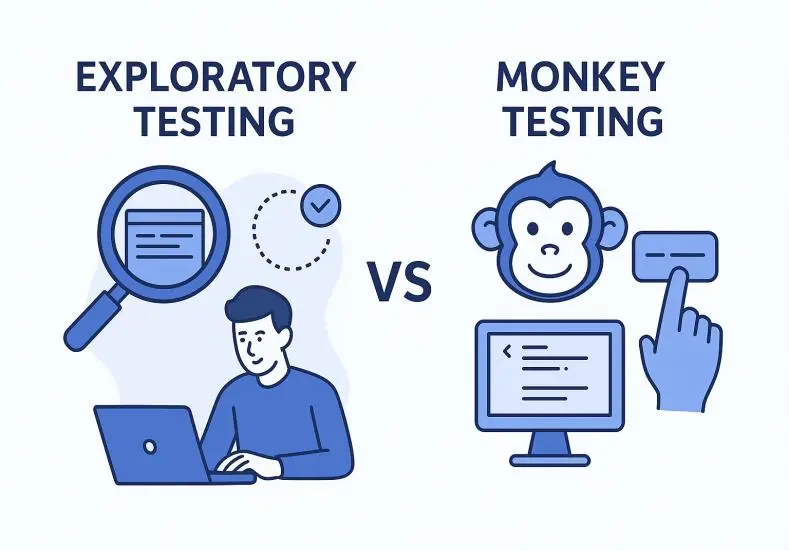
This article explains the differences between Exploratory Testing and Monkey Testing, when to use each approach, and best practices for QA teams in modern software development.
Introduction
QA teams today need to work quickly, even as software becomes more complex and unpredictable. Because of this, testing methods must be flexible and able to handle surprises. Exploratory Testing and Monkey Testing are two approaches often used for these challenges.
Although they are sometimes grouped together because they are less rigid than fully scripted tests, the similarity largely ends there. In practice, these approaches differ significantly in mindset, structure, objectives, and the types of risks they are best suited to uncover.
This article takes a closer look at both techniques: how they work, where they are most effective, their strengths and limitations, and practical considerations for applying them in a real-world QA process.
What is Exploratory Testing?
Definition
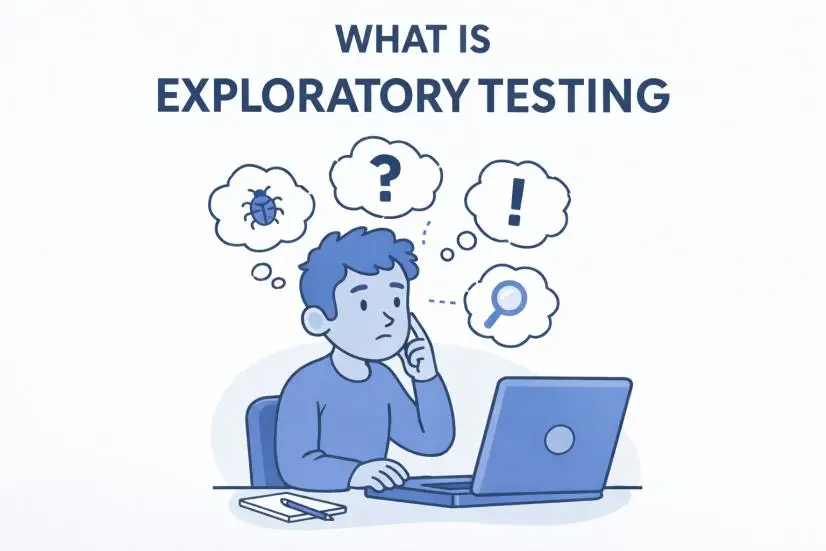
Exploratory testing is an approach in which test design, execution, learning, and analysis take place simultaneously. Instead of relying on a detailed, predefined set of test cases, the tester actively interacts with the system, observes its behavior, and continuously adjusts their testing based on what they discover along the way.
Test ideas emerge dynamically during the session, driven by real-time insights, risks, and unexpected system responses. This allows the tester to adapt quickly, focus on areas of higher risk, and uncover issues that are difficult or impossible to detect through scripted testing alone.
Key Characteristics of Exploratory Testing
- Exploratory testing usually starts with a clear but flexible goal, often called a test charter. Instead of working from a long list of predefined test cases, the tester focuses on a specific mission, such as exploring a new payment flow to identify usability issues or weaknesses in error handling.
- The tester relies heavily on domain knowledge, intuition, and past experience to guide decisions during the session. As the system is explored, ideas for new tests emerge naturally based on what is learned in real time.
- Test design (deciding what to test) and test execution (actually performing the tests) are tightly intertwined. Decisions about what data to use or which paths to follow are made while interacting with the system, and observations from those interactions immediately influence the next steps.
- There may be lightweight documentation (session notes, screenshots, test charter), but not necessarily detailed pre-written test cases.
- A key aspect of exploratory testing is responsiveness. When unexpected or unusual behavior is discovered, the tester adapts by following new paths, trying different data sets, probing edge cases, or deliberately triggering error conditions.
Benefits of Exploratory Testing
- Can discover unexpected defects, those that scripted tests may miss because the tester is actively exploring rather than just executing “what’s written”.
- Faster setup: less time required to write detailed test cases upfront.
- Encourages tester creativity and engagement, which often leads to richer defect discovery.
- Adapts to change: when the system changes quickly (e.g., agile environment), exploratory testing is more flexible than a heavy scripted approach.
Limitations and Challenges of Exploratory Testing
- Because test design evolves during execution, it can be harder to clearly document exactly what was tested. If testers do not keep good notes, reproducing defects or explaining coverage later can become challenging.
- Efficiency can depend heavily on tester skill (domain knowledge, intuition, creativity). Less experienced testers may struggle.
- Exploratory testing may be less appropriate in situations that require strict, repeatable coverage, such as regulatory environments or compliance-driven projects where predefined test cases and traceability are mandatory.
- Finally, without proper discipline and a clear testing mission, exploratory testing can lose focus and turn into unfocused or random interaction with the system, reducing its overall value.
What is Monkey Testing?
Definition
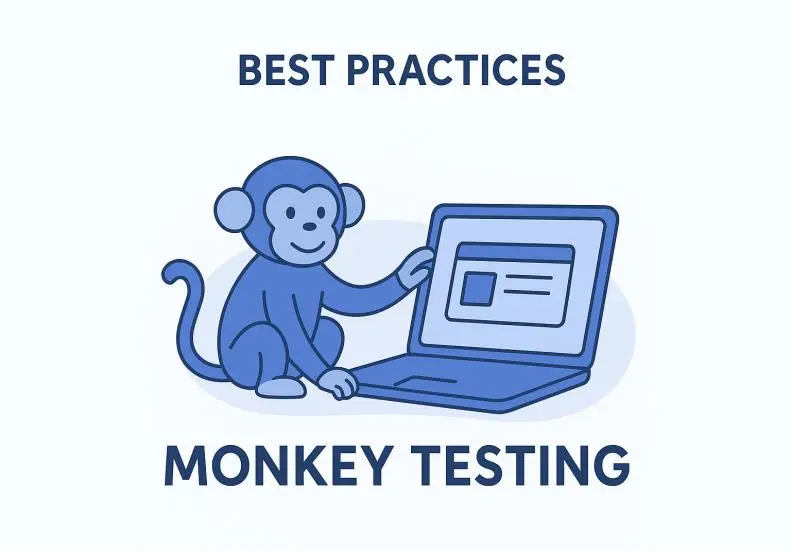
Monkey testing (often referred to as random testing) is a testing technique in which a tester or an automated tool generates random, unstructured inputs or actions against the system under test. The primary objective is not to follow predefined scenarios, but to expose weaknesses by pushing the system into unexpected states, which may cause crashes, errors, or unstable behavior.
Rather than relying on planned test cases, monkey testing emphasizes randomness and unpredictability, making it especially useful for assessing system robustness and error handling under chaotic conditions.
Key Characteristics of Monkey Testing
- Monkey testing usually involves minimal planning. The tester or an automated tool interacts with the system in an unstructured way, randomly clicking, entering unexpected or invalid data, exploring the interface unpredictably, and intentionally going outside normal user flows.
- In many cases, the tester has limited or no prior knowledge of the system. In its most basic form, often referred to as “dumb monkey” testing, actions are entirely random and are not influenced by feedback from the system’s behavior.
- The primary goal of monkey testing is to identify stability and robustness issues, such as crashes, freezes, or unhandled exceptions, rather than to validate functional correctness or business logic.
Types of Monkey Testing
- Dumb monkey: random actions with no knowledge of the system.
- Smart monkey: random actions, but with some awareness of the system (e.g., avoiding obviously invalid inputs, using some known flows).
- Brilliant monkey: more targeted random testing, perhaps guided by likely weak spots with some heuristics (rules-of-thumb or experience-based techniques).
- Gorilla monkey: repeated, exhaustive testing of a single module or feature from every angle, combining the randomness of monkey testing with concentrated focus on one area until it breaks or passes under pressure.
Benefits of Monkey Testing
- It helps uncover robustness and stability issues, especially by showing what happens when users do unexpected or unusual things that weren’t anticipated.
- It requires very little preparation since there’s no need to create or maintain a detailed set of test cases before starting. This makes it quick and easy to use, especially in early or experimental stages.
- By adding randomness, monkey testing helps simulate the chaotic ways real users interact with a system, recognizing that users don’t always follow ideal or “happy path” workflows.
- This approach is especially valuable for stress testing, fuzzing, and crash detection scenarios, where the primary goal is to push the system beyond normal usage and observe how it behaves under unpredictable conditions.
Limitations and Challenges of Monkey Testing
- Because monkey testing relies heavily on randomness, test coverage is unpredictable. Important workflows or critical functionality may never be exercised, even after extensive testing.
- This approach provides limited confidence in functional correctness, as it does not intentionally verify business rules, user journeys, or expected outcomes.
- Using purely random testing may not be cost effective in structured projects where you need predictable outcomes.
Exploratory Testing vs. Monkey Testing: A Detailed Comparison
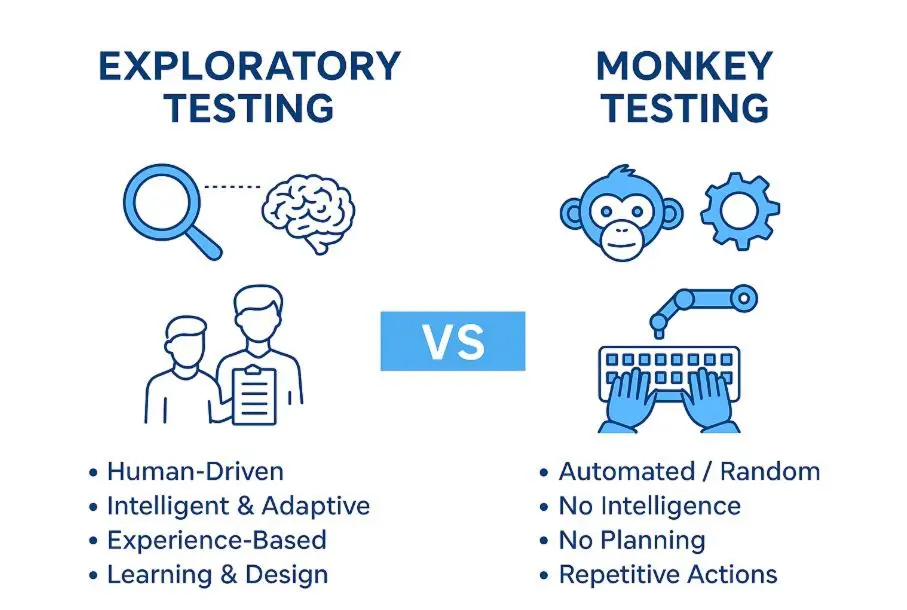
Exploratory Testing vs. Monkey Testing: Quick Summary
- Exploratory Testing is structured, goal-driven, and relies on tester skills and learning.
- Monkey Testing is random, unstructured, and focused on robustness and crash detection.
- Exploratory Testing is best for discovering logic, usability, and edge cases.
- Monkey Testing is best for stress, chaos, and stability testing.
- Both techniques complement scripted testing in a balanced QA strategy.
Here, we compare key dimensions to clarify how these two approaches differ and overlap.
Dimension | Exploratory Testing | Monkey Testing |
| Purpose / focus | Testers learn the system while designing and executing tests at the same time, uncovering defects and investigating behaviors beyond the obvious. | The system is exercised randomly to uncover crashes or unexpected behavior, with tests being unstructured and chaotic. |
| Planning / structure | Some planning is involved, like defining charters, session boundaries, and basic documentation. | Very little planning, virtually no test cases, essentially random input/interaction. |
| Tester knowledge requirement | Requires tester to have domain knowledge, curiosity, analytical ability to spot issues. | Minimal knowledge is needed for “dumb monkey” testing, but “smart monkey” testing works better with some system awareness. |
| Reproducibility | Moderate: by documenting session, notes, logs, you can often reproduce a line of investigation. | Low: random inputs/actions may make reproducing defects difficult. |
| Coverage assurance | It offers better potential coverage of interesting flows because the tester is actively exploring the system. | Coverage is unpredictable and may be shallow or broad but not deep. |
| Best suited when | Requirements are incomplete or evolving, you want to explore beyond scripted tests, agile context or new features. | You want to stress test, robustness check, weird user behavior simulation, find crashes or security/edge scenario issues. |
| Documentation needed | Some: e.g., test charter, session notes, can capture what was done. | Minimal or none: focus is on randomness. |
| Cost / overhead | Moderate: although less than full scripted, you still need skilled tester and time for exploration, and to take notes. | It has a low upfront cost, but it can still use time and resources, and the random results may require extra analysis. |
Key Differences in Practice
- In exploratory testing, the tester works in a focused and intentional manner, continuously adapting their approach based on what they learn during the session. In contrast, monkey testing takes a more unstructured approach, driven by a “let’s see what happens” mindset rather than deliberate exploration.
- Exploratory testing is often mission-driven (for example, “explore backup functionality under networking issues”), while monkey testing may simply be “run random click sequences for 10 minutes and see if anything crashes”.
- Another important difference is defect reproducibility. In exploratory testing, defects are generally easier to reproduce because the tester captures context, intent, and observations as part of the session. With monkey testing, issues may be discovered, but recreating the exact sequence of random actions that caused them can be significantly more difficult.
Monkey Testing vs. Exploratory Testing: Key Differences, Use Cases, and When to Combine
Use Exploratory Testing When:
- You’re introducing a new feature or module and want to see how it actually behaves in real-world scenarios.
- The requirements are unclear or still changing, so writing full test scripts isn’t practical yet.
- You want to find usability, edge cases, or unexpected behavior defects.
- You have skilled testers who can think critically and adapt.
Use Monkey Testing When:
- You want to put the system under stress to see if it crashes, throws errors, or behaves unexpectedly.
- You suspect that unusual inputs or unpredictable user behavior could reveal stability or robustness issues.
- You’ve already tested most of the structured flows and are ready for a “chaos test” or fuzz testing approach.
- You want to understand how the system reacts when it’s bombarded with random events or data.
Combine the Approaches for Maximum Value
Many QA teams get the best results when they mix exploratory and monkey testing with structured scripted testing:
- Start with scripted tests to cover the known flows and check for regressions.
- Use exploratory testing to dive into the unknown, learn the system, and uncover hidden defects.
- Include monkey testing or random testing alongside or after other tests to see how the system performs under unpredictable use.
By combining these approaches, you get thorough coverage of expected functionality, deeper insights from exploratory testing, and a sense of robustness under random conditions.
Practical Tips & Best Practices for QA Teams
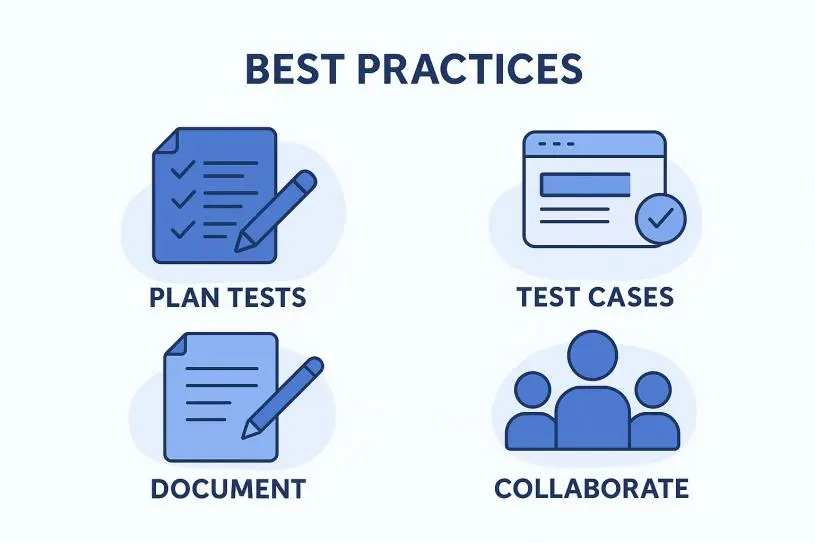
What do QA engineers recommend for Exploratory Testing?
- Start each session with a clear test charter (for example, “Explore the login and password recovery flow on mobile under intermittent network conditions”). This keeps the session focused.
- Allocate a fixed amount of time, such as 60 minutes, for each session to maintain momentum and productivity.
- Use session logs or charts to track what was explored, which paths were taken, and any defects discovered. This ensures traceability.
- After the session, review the findings and decide whether any interesting flows should be turned into scripted test cases or automated tests.
- Encourage teamwork by having testers collaborate with developers or holding brief discussions to quickly share insights and discoveries.
What do QA engineers recommend for Monkey Testing?
- Decide whether you’ll perform manual random interactions or use automated tools to generate random events.
- Choose your approach: a “dumb monkey” that performs completely random actions, or a “smart monkey” that uses some rules or heuristics to guide its behavior.
- Whenever a fault occurs, capture logs and details. Even if the exact input sequence cannot be reproduced, record the context, including time, version, environment, and a description of the action.
- After completing a monkey testing session, review the results. Were any meaningful defects found? Are reproducibility issues manageable? Decide whether any of the random paths should be converted into more structured tests.
General QA Strategy Considerations
- Document your approach by specifying when to use exploratory testing, monkey testing, and scripted testing within your release cycle.
- Maintain traceability by keeping notes on what was tested and what wasn’t, even during exploratory sessions, to avoid duplication and ensure coverage.
- Invest in developing tester skills. Exploratory testing benefits from curiosity, creativity, and domain knowledge, while monkey testing requires understanding system behavior and the ability to analyze unexpected outcomes.
- Use metrics thoughtfully. For exploratory testing, you might track defects found per hour or the number of sessions completed. For monkey testing, consider metrics like crash rate, number of random events per hour, or coverage of interface elements exercised.
Case Examples
Example: Exploratory Testing in a new e-commerce checkout feature
Suppose you’re testing a new e-commerce checkout feature. Scripted tests cover standard flows like “add item to cart, enter payment info, complete purchase,” and “apply discount code and complete purchase.”
For an exploratory session, you might define a charter such as “Experiment with unusual checkout scenarios, including switching payment methods mid transaction, applying multiple coupons, using expired gift cards, or closing and reopening the app during checkout.”
During testing, the tester tries adding an item, starts payment with a credit card, switches to a digital wallet halfway through, and then closes the app before final confirmation. They might discover that the cart empties unexpectedly, the payment is processed twice, or the discount is misapplied, issues that scripted tests likely wouldn’t catch.
Example: Monkey Testing in a GUI Desktop App
Imagine a desktop productivity app where users can create shapes and add text. Once the main regression tests are complete, you run a monkey test. This could involve a tool or script performing random clicks, drag and drops, keyboard shortcuts, rapid tab switching, window resizing, or entering unexpected characters.
After about ten minutes of random interactions, the app freezes or crashes when resizing the window while switching modes. This exposes a concurrency issue in the window resize handler. While the exact sequence may not be perfectly reproducible, you have logs, timestamps, and environment details that help you reproduce similar sequences and isolate the bug for fixing.
Common Pitfalls & How to Avoid Them
Pitfalls in Exploratory Testing
- Lack of focus: Without a clear charter or time box, testers can wander aimlessly, leading to shallow coverage.
Solution: Define test charters and set time-limited sessions to keep the exploration purposeful. - Poor documentation: If testers don’t record their actions, bugs can be difficult to reproduce or track.
Solution: Encourage note-taking, screenshots, and detailed logging throughout the session. - Over-reliance on a single tester: Relying on one person for exploratory testing can leave blind spots.
Solution: Use peer reviews, pair testing, or rotate testers to broaden perspectives. - Neglecting known flows: Exploratory testing often focuses on new or unknown paths, which can lead to key flows being overlooked.
Solution: Maintain a balance by combining scripted testing with exploratory sessions.
Pitfalls in Monkey Testing
- No meaningful results: Pure randomness may trigger many actions that have no effect.
Solution: Set clear targets for the number of events or test duration and monitor outcomes. - Crashes can be hard to reproduce if the input sequence isn’t recorded. To address this, capture detailed context such as timestamps, environment, logs, and screenshots, and consider using a “smart monkey” to focus on areas likely to fail.
- Misallocated effort: Spending too much time on random actions can reduce ROI if structured or exploratory testing is neglected.
Solution: Treat monkey testing as a complementary activity, not the primary approach. - Running random automated tests without clear objectives can be resource-heavy and inefficient. A better approach is to set measurable goals, such as generating a certain number of crashes or logs within a set time, and track the results.
Metrics & Measurement
When using these testing techniques, it’s important to track their effectiveness. Here are some suggestions:
Exploratory Testing Metrics
- Number of sessions completed, with defined charters and time boxes.
- Defects found per session or per hour.
- Coverage of features / areas explored (tester notes mapped to modules).
- Percentage of defects not already caught by scripted tests, showing the added value of exploratory testing.
- Reproducibility: percentage of found defects that could be reproduced.
Monkey Testing Metrics
- Number of random actions executed, such as clicks, inputs, or drag and drops, within a given timeframe.
- Average time until the first crash or hang occurs during a random input session.
- Resources used, including CPU and memory, to assess system stability and robustness.
- Percentage of defects that can be reproduced or have a root cause identified.
Interpreting Metrics
Metrics alone don’t tell the whole story; context is key. For example, exploratory testing might find fewer defects than scripted tests in a given time, but if those defects are more severe or occur in areas scripts miss, they are highly valuable. Similarly, monkey testing may uncover many minor crashes, but it’s important to evaluate whether the effort is worthwhile compared to the actual risk.
How AI Supports Exploratory and Monkey Testing
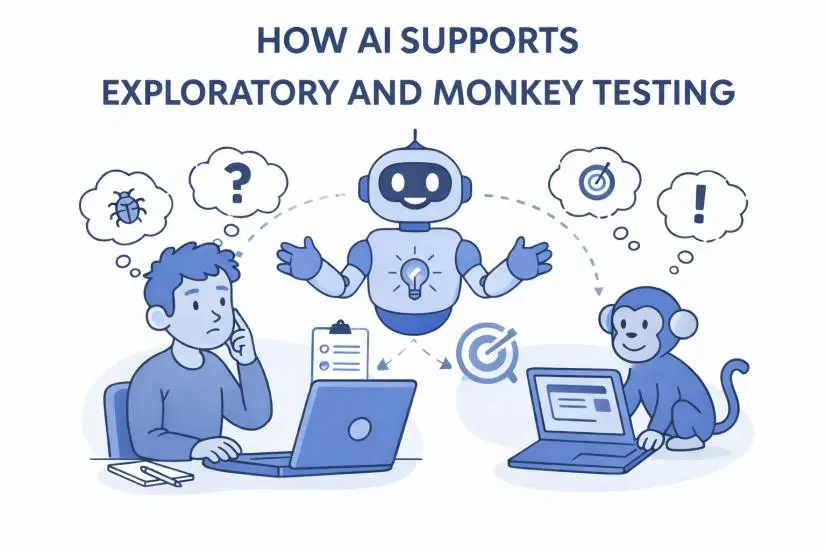
Lately, AI tools have really started making a mark in testing, both in exploratory testing and the so-called “monkey testing.” These tools can do things that are tricky for humans, like spotting weird patterns in logs, flagging anomalies, or highlighting areas that might break.
AI and Exploratory Testing
In exploratory testing, AI tools support testers by accelerating learning and decision-making during test sessions. Platforms such as testRigor, Functionize, and ACCELQ Autopilot can generate test ideas from plain language descriptions, highlight high-risk areas, and adapt when the UI or workflows change. Visual testing tools like Applitools help detect subtle UI glitches or inconsistencies that may be overlooked during manual exploration. General-purpose AI assistants such as ChatGPT can further support exploratory testing by helping testers write test charters, brainstorm edge cases, analyze requirements for risk, clarify unfamiliar domains, and transform messy session notes into structured reports.
AI and Monkey Testing
In monkey testing, AI enhances randomness by making it more targeted and effective. Tools such as Mabl and Rapise can observe application behavior, identify fragile or unstable areas, and focus random actions where failures are more likely to occur. This approach introduces controlled chaos, often referred to as “smart monkey” testing, which increases the likelihood of uncovering crashes, hangs, or robustness issues compared to blind random input. AI assistants like ChatGPT can also help generate random event scripts, create fuzzing payloads, suggest chaos scenarios, and summarize crash logs or error patterns produced during unstructured test runs.
AI as an Enabler, Not a Replacement
AI does not replace the critical thinking, intuition, or investigative mindset of skilled testers. Instead, it acts as a force multiplier. AI speeds up test idea generation, highlights patterns across large volumes of data, and reduces manual effort, but human judgment remains essential for interpreting results, prioritizing risks, and deciding what really matters to product quality. The strongest QA strategies use AI to enhance exploratory and monkey testing, not to automate away responsibility for quality.
Summary & Recommendations
- Exploratory Testing and Monkey Testing are different approaches in QA, but they complement each other nicely.
- Exploratory Testing is flexible yet purposeful. Testers actively explore, adapt, and learn as they investigate how the system behaves, going beyond predefined scripts. It’s especially useful when requirements are incomplete, changing, or unclear.
- Monkey Testing, on the other hand, is intentionally chaotic. Random inputs, unexpected interactions, and stress scenarios help uncover robustness issues, crashes, and unpredictable behavior under unusual conditions.
- AI tools are now making both techniques even more effective.
- For exploratory testing, ChatGPT can create test charters, brainstorm edge cases, analyze requirements for risks, clarify unfamiliar domains, and turn rough notes into structured reports or defect descriptions.
- For monkey testing, platforms such as Mabl and Rapise bring “smart randomness” by focusing on unstable areas and prioritizing interactions likely to cause failures.
- General-purpose AI assistants like ChatGPT are becoming increasingly useful in both approaches.
- In exploratory testing, ChatGPT can generate charters, brainstorm edge cases, analyze requirements for risks, clarify unfamiliar domains, and convert rough notes into structured reports or defect descriptions.
- For monkey testing, it can generate custom scripts for random events, create fuzzing payloads, suggest chaos scenarios, and summarize or interpret crash logs from unpredictable runs.
Use all approaches together for maximum value:
- Scripted tests provide reliable coverage of known workflows.
- Exploratory testing helps uncover unexpected behaviors and deepens understanding of the system.
- Monkey testing pushes stability and stress resilience to the limits.
- AI tools and assistants enhance all three approaches by providing automation, pattern recognition, intelligent guidance, and rapid idea generation.
For best results:
- Define clear charters, time boxes, and goals for exploratory sessions.
- Capture logs, screenshots, and context consistently.
- Use AI assistance selectively, focusing on areas where it improves efficiency, insight, or test depth.
- Continuously track metrics such as defects found, reproducibility, crash frequency, and coverage.
- Choose the right combination of methods and AI support based on your project’s risk profile, complexity, and stage in the lifecycle.
Conclusion
In quality assurance, using the right testing approach for the right situation is essential. Exploratory testing lets testers investigate the system intentionally and adaptively, uncovering behaviors and defects that scripted tests might miss. Monkey testing, by contrast, puts the system under unpredictable, chaotic conditions to see how well it handles stress and unexpected interactions. Both approaches are far from “loose” or undisciplined; they serve unique and important purposes in a well-rounded QA strategy.
AI-driven tools and assistants now make these methods even more powerful. Tools like testRigor, Functionize, ACCELQ, and Applitools help exploratory testers generate test ideas, identify high-risk areas, catch subtle UI or behavior issues, and reduce the maintenance that often slows testing down. For monkey testing, platforms like Mabl and Rapise introduce intelligent randomness, directing stress toward areas most likely to fail, making chaos testing far more effective than blind clicking.
General-purpose AI assistants, such as ChatGPT, are also becoming a valuable part of the workflow. They can support exploratory testing by brainstorming edge cases, creating test charters, analyzing requirements, and turning unstructured notes into clear session reports. In monkey testing, they can generate custom random event scripts, produce fuzzing payloads, or analyze crash logs to uncover hidden root causes.
While AI can accelerate testing and offer deeper insights, it does not replace the critical thinking, intuition, and investigative mindset of skilled testers. Instead, it amplifies their strengths, helping them discover more and learn faster. By combining scripted tests, exploratory sessions, smart monkey testing, and thoughtful AI assistance, teams can deliver software that is not only functionally correct but also robust, resilient, and ready to handle real-world unpredictability.
Author
Radu Ursariu is a QA Engineer at ASSIST Software with over 5 years of experience in web application testing, specializing in defect tracking, test case design, and end-to-end quality assurance processes. He works extensively within Agile environments, collaborating closely with cross-functional teams to ensure product stability and compliance across projects in multiple industries. Radu is proficient in working with TestRail and BrowserStack for test execution and validation, while using Azure DevOps, Jira, and Confluence to manage defects, trace requirements, and collaborate within Agile teams.
Frequently Asked Questions
What is the core difference between exploratory testing and monkey testing?
Exploratory testing is structured and goal-driven: the tester learns the system while designing and executing tests simultaneously, guided by domain knowledge and a defined mission. Monkey testing is random and unstructured, focused on pushing the system into unexpected states to expose crashes and stability issues rather than validating logic or behavior.
When should a QA team use exploratory testing over scripted testing?
Exploratory testing works best when requirements are incomplete or evolving, when a new feature needs real-world behavior assessment, or when scripted tests have already covered known flows and deeper investigation is needed. It is more flexible than scripted testing and better suited to agile environments where the system changes frequently.
How should QA teams combine exploratory and monkey testing in practice?
The most effective strategy layers all three approaches: scripted tests cover known flows and regressions, exploratory testing uncovers hidden defects and edge cases, and monkey testing stress-tests robustness under chaotic conditions. Each technique addresses a different category of risk, and none is sufficient on its own.
How does ASSIST Software approach software testing and QA in modern development?
ASSIST Software integrates exploratory, scripted, and automated testing as part of a broader engineering discipline applied across projects in a wide range of industries. QA is treated as a continuous practice embedded in the development process, not a final gate, ensuring that software performs reliably under real-world conditions from the start.