Web Accessibility in 2026: Complete Guide to WCAG Compliance
Web Accessibility Statistics 2026: Current State and Progress
Why Web Accessibility Matters Beyond Compliance
Web Accessibility Laws 2026: EAA and ADA Requirements
How to Test Your Website for Accessibility
Why ASSIST Software Is Your Accessibility Partner
The Future of Web Accessibility: Action Required
Ready to Make Your Digital Products Accessible?
Frequently Asked Questions About Web Accessibility
Key Takeaways
- 95.9% of websites fail WCAG 2.2 Level A/AA accessibility standards (WebAIM Million 2025)
- 23% cart abandonment on accessible sites vs 69% on inaccessible sites – 66% improvement
- European Accessibility Act will be mandatory since June 2025 across all EU member states
- 6 common errors account for 96.4% of all accessibility issues – most are easily fixable
- Test your site for free with ASSIST Software's accessibility checker
Every day, billions of people access the internet to shop, learn, communicate, and access essential services. But for 1.3 billion people with disabilities worldwide, this digital experience remains frustratingly difficult.
We see this reality in our work. When we audit websites for clients, we consistently find the same barriers: buttons that screen readers can't identify, forms that keyboard users can't navigate, and color schemes that people with visual impairments struggle to read. These are everyday obstacles that exclude millions of potential customers.
Web Accessibility Statistics 2026: Current State and Progress
The WebAIM Million 2025 report analyzed the top million websites and found something striking: 95.9% fail to meet basic WCAG 2.2 standards. That means only 4 out of every 100 websites are genuinely accessible.
But here's the encouraging part: the average number of errors dropped from 56.8 to 51 per page over the past year. Progress is slow, but it's happening. More teams are building accessibility into their workflow from day one rather than treating it as an afterthought.

Why Web Accessibility Matters Beyond Compliance
When clients ask us, "Do we really need to prioritize accessibility?", we point to two realities.
The Business Case: 26% of US adults have some form of disability, representing $13 trillion in global purchasing power. Accessible sites experience 23% cart abandonment, compared to 69% for inaccessible sites. Your competitors are already capturing customers you're turning away.
The Human Impact: We build digital products that people rely on for education, healthcare, employment, and civic participation. When we create barriers, we're not just losing business; we're excluding people from fundamental aspects of modern life.
Web Accessibility Laws 2026: EAA and ADA Requirements
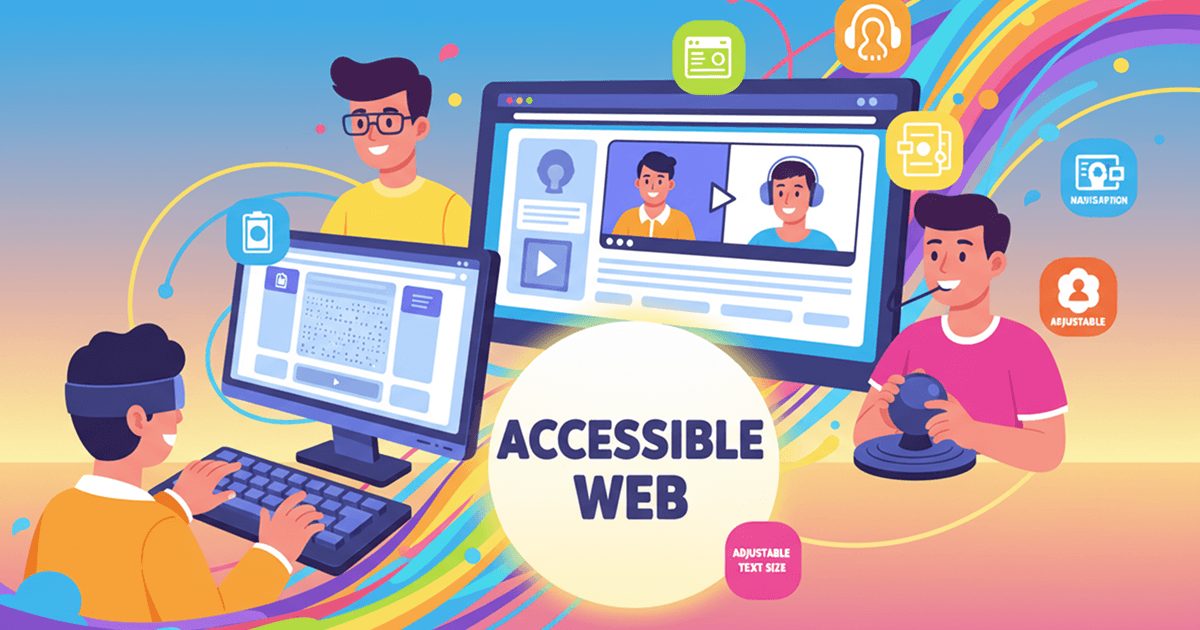
The European Accessibility Act became mandatory across all EU member states in June 2025. It's no longer limited to government websites. Banking apps, e-commerce platforms, e-books, and even your company's internal tools fall under these requirements if you operate in Europe.
In the US, ADA litigation continues to rise, and here's what surprises people: 77% of cases target small businesses with revenue under $20 million. This isn't just a concern for enterprise companies.
| Poor color contrast | 81% of sites | Easy | Use WebAIM Contrast Checker, aim for 4.5:1 minimum |
| Missing alt text | 54.5% of sites | Easy | Add descriptive alt text to all images |
| Empty links | 44.6% of sites | Easy | Ensure every link has descriptive text |
| Unlabeled forms | 48.6% of sites | Medium | Use proper <label> tags associated with inputs |
| Empty buttons | 28.2% of sites | Easy | Add descriptive text or aria-label to all buttons |
| Missing language tag | 17.1% of sites | Easy | Add lang="en" to <html> tag |
The good news? These are fixable. Most don't require redesigns or major development efforts. They need awareness and intentional choices during development.
How to Test Your Website for Accessibility
Step 1: Free Automated Scan
Our free accessibility checker scans your site and identifies the most common issues in minutes. Think of it as a first diagnostic step.
Step 2: Comprehensive Accessibility Audit
For deeper analysis, our comprehensive accessibility audit goes beyond automated testing. We manually test with assistive technologies to catch issues that automated tools miss.
| Free Automated Scan | 30-40% | Minutes | Initial assessment |
| Automated Tools | 30-40% | Hours | Ongoing monitoring |
| Manual Testing | 60-70% | Days | Complex interactions |
| Comprehensive Audit | 90%+ | 1-2 weeks | Pre-launch validation |
Why Automated Testing Alone Isn't Enough: Automated tools catch 30-40% of issues, but can't evaluate whether alt text is useful, if your site makes logical sense to screen reader users, or whether keyboard navigation flows naturally.
Why ASSIST Software Is Your Accessibility Partner
At ASSIST Software, we've implemented WCAG 2.2 Level AA compliance across diverse digital products in education, e-commerce, and healthcare.
Our Accessibility Expertise:
- WCAG 2.2 Level AA compliance delivered for clients in education, e-commerce, and healthcare
- Comprehensive accessibility audits that identify and prioritize issues
- Remediation projects transforming inaccessible systems into compliant solutions
- Team training programs building lasting accessibility expertise
- Continuous monitoring post-launch to maintain compliance
We don't treat accessibility as a checklist. We've seen how poor accessibility excludes users, damages reputation, and creates legal exposure. That's why we integrate accessibility from day one.
How We Build Accessibility Into Our Work:
At ASSIST Software, accessibility is woven into our entire digital product strategy from discovery through maintenance. We combine automated testing (30-40% coverage) with manual validation (60-70%) and train teams to understand that accessibility means building products that work for everyone.
The Future of Web Accessibility: Action Required
95.9% of websites fail WCAG 2.2 standards, but errors decreased 10.3% year-over-year. Six fixable issues cause 96.4% of problems. Accessible sites see 66% better cart abandonment rates and $100 ROI for every $1 invested.
The Solution: Integrate accessibility throughout development, combining automated testing with manual validation. Build accessibility into your process from day one, train your teams, and test continuously.
Every accessible site we launch, every developer we train to think about inclusive design, every company that makes accessibility a priority moves us toward a more equitable internet.
72% of organizations now have digital accessibility policies, and 85% see it as a competitive advantage. The business case is proven. The legal requirements are clear. The human argument is compelling.
What's missing is action.
Ready to Make Your Digital Products Accessible?
Check your website's accessibility for free – Get results in minutes
Request a comprehensive accessibility audit – 90%+ issue detection
Explore how we integrate accessibility into digital product development
Frequently Asked Questions About Web Accessibility
1 What percentage of websites are actually accessible in 2026?
Only 4.1% of websites meet WCAG 2.2 Level A/AA standards. The WebAIM Million 2025 report found 95.9% fail basic accessibility requirements, averaging 51 errors per page.
2 Will fixing accessibility issues break my website design?
No. Accessibility improvements enhance design for everyone. Better color contrast improves readability, clear labels help all users, and keyboard navigation benefits power users. When implemented correctly, accessibility strengthens visual design.
3 How long does it take to make a website accessible?
Quick fixes for the six most common issues take 1-2 weeks. Comprehensive remediation takes 4-8 weeks, depending on complexity. The most cost-effective approach: build accessibility into your development process from day one. Our free checker provides an immediate assessment.
4 Is automated testing enough for accessibility compliance?
No. Automated tools catch 30-40% of issues but can't evaluate context, user experience, or semantic meaning. Comprehensive audits combine automated scanning with manual testing to catch 90%+ of issues.